UMGForge
Design your interface as a web page, then import it into Unreal as a real Widget Blueprint. Layout, colours, controls, icons and your own fonts come across. Anything that cannot is reported by name rather than quietly approximated.
Overview
Most HTML-to-UMG converters read where an element landed on screen and pin it there. That looks right in the editor and breaks at the first resolution change. UMGForge translates the layout model instead: a flex column becomes a Vertical Box, flex: 1 becomes a slot that fills, width: 240px becomes a Size Box, and percentage-positioned elements become canvas anchors. Resize the panel in the designer and the imported screen reflows, because the intent came across rather than the measurements.
It puts no browser inside your editor. The conversion drives whichever Chrome, Edge, Brave or Vivaldi is already on the machine, out of process - so there is no Chromium version ceiling, nothing extra loads into Unreal, and the same conversion runs on a build server with no editor open at all.
The design goal is a faithful, editable reproduction, not a screenshot. Where Slate genuinely cannot draw something, the plugin says so by name at import time - with the element and the property - because a layout that imports “successfully” and is quietly wrong is the most expensive thing a converter can produce.
Key Features
Layout That Survives Resizing
The CSS sizing model is translated into UMG’s, not measured. Flex grow becomes fill span, percentages become anchors, fixed widths become Size Box overrides. CSS Grid carries too: unequal tracks and explicit grid-column / grid-row placement become a GridPanel with per-track fill, and an evenly divided grid stays a UniformGridPanel.
One Design, Any Aspect Ratio
Name the viewports you care about and the page is re-measured at each one, so anchors are read from the design’s real behaviour instead of guessed from a single snapshot.
See Exactly What You Got
Render any imported widget to a PNG at any resolution, no PIE required, and put it beside the page it came from. Check the conversion instead of trusting it.
Gradients Drawn Natively
A Gradient Panel draws the ramp through Slate with every stop and its corner radii intact. No material to author, no texture to bake, and still recolourable in the designer.
Your Real Fonts
The actual TrueType files are pulled out of the browser that rendered the design and built into one Font asset per family, with a typeface per weight. Nothing bundled, nothing substituted.
Functional Controls
A range input becomes a Slider with its min, max and step. A select becomes a ComboBoxString with its options. Details and summary become an ExpandableArea in its proper named slots.
Validates Against Your C++ Class
If the layout targets a UUserWidget subclass, the widget tree is checked against its BindWidget properties before compiling - including naming the likely typo when a name is nearly right.
Runs Headless
Page to Widget Blueprint from a build script with nobody clicking anything. The conversion step alone runs on a machine with no Unreal installed.
Reimport Without Losing Work
The widget tree is rebuilt in place. The asset keeps its identity, its parent class and every Blueprint graph, so references from other Blueprints stay valid.
It Tells You What It Could Not Do
A misspelled property, a value of the wrong type, a duplicate widget name, a font that will not resolve - all refused by name at import time rather than silently applied.
Fidelity
Rather than quote a number you cannot check, the plugin ships the tool that produces it. Three screens authored specifically to test it - a dark settings menu, a four-corner combat HUD, and a light-mode serif shop screen - measured 2.9%, 1.6% and 4.0% differing pixels against the browser, on thresholded luminance so glyph antialiasing does not count. What remains is sub-pixel text metrics and a few pixels of accumulated vertical drift.
Your own designs will land somewhere on that spread depending on which CSS they lean on. The point is that you can find out in a minute, on your own work, rather than after buying.
The Page, the Widget, and the Difference
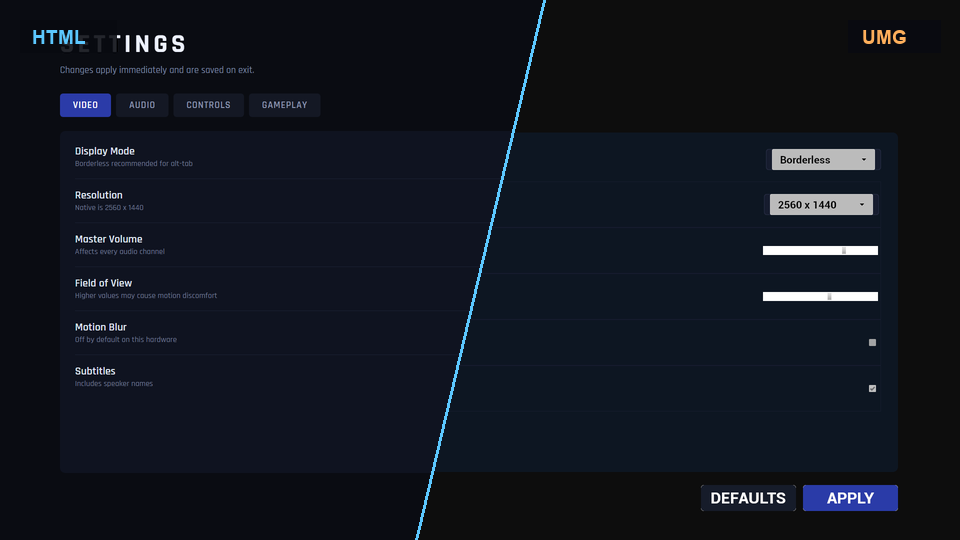
Each design appears twice: once as the imported Widget Blueprint on its own, and once beside the browser render it came from, with the same region at 2x underneath so the comparison survives being looked at closely. The percentages count any pixel whose worst colour channel is more than 16 of 255 from the reference, which ignores glyph antialiasing but catches anything you would actually see. All three designs were written specifically to test the converter, in styles it had never seen.
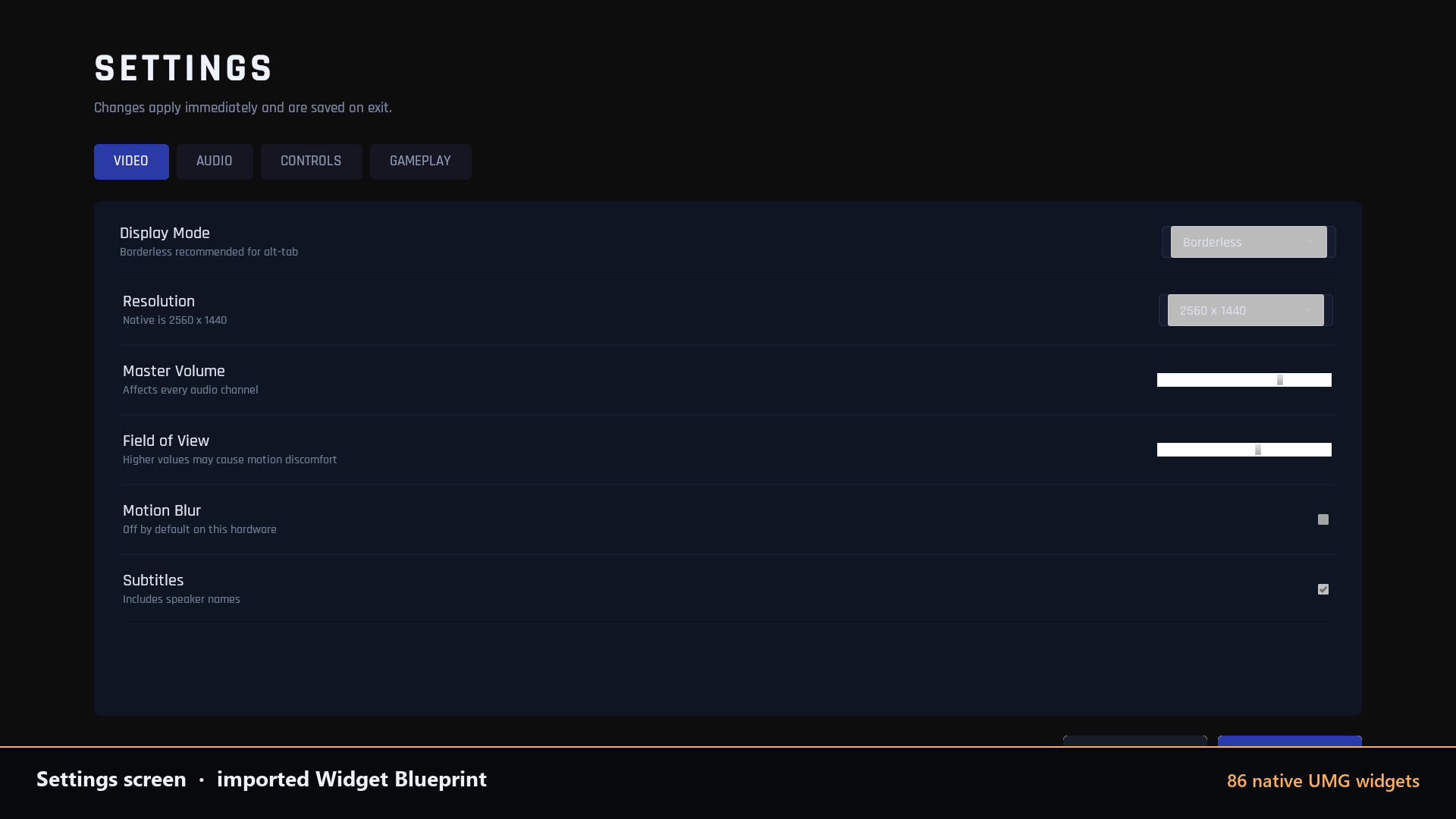
A settings screen after import: tabs, dropdowns, sliders and toggles across 86 widgets.
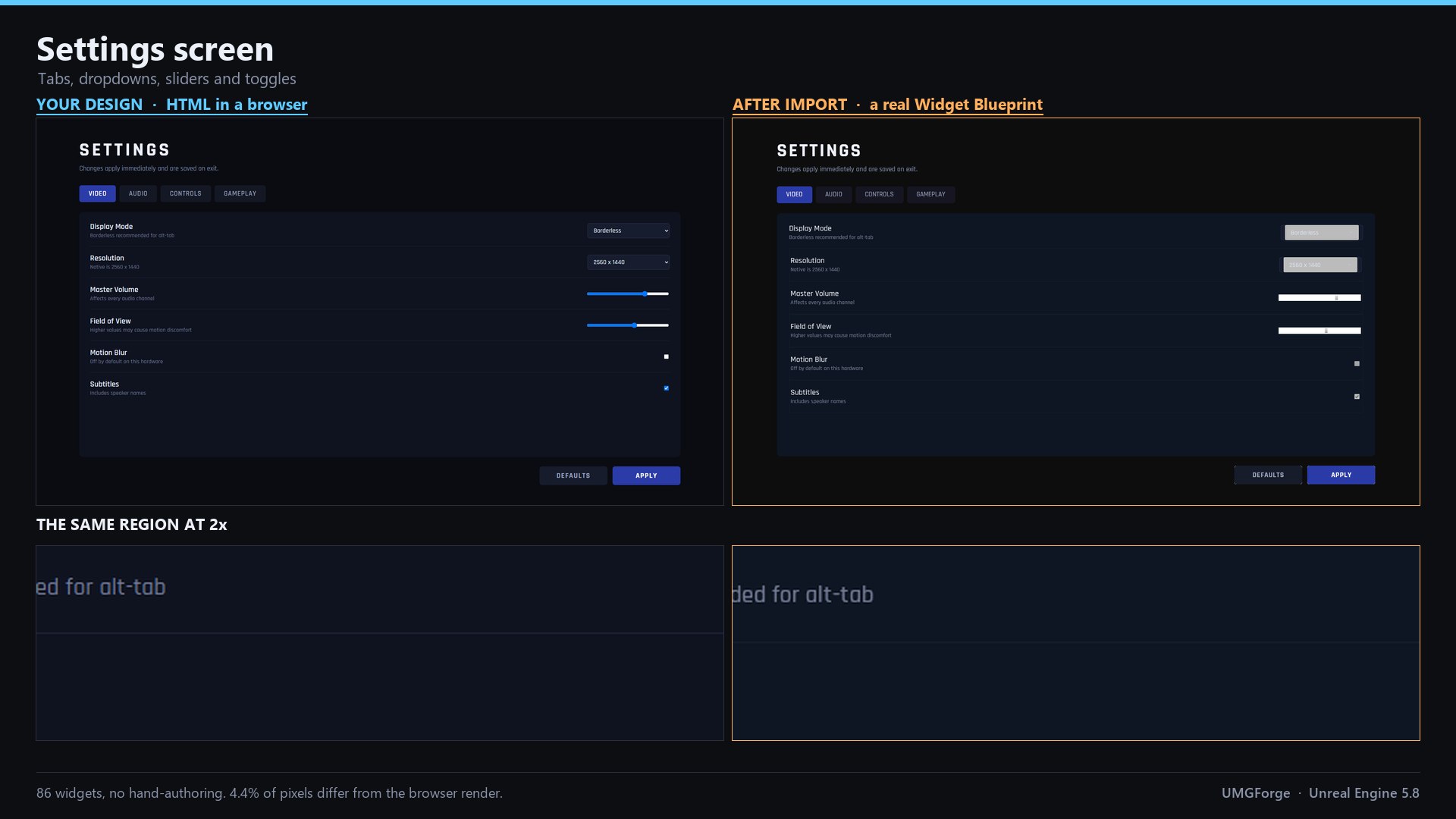
Settings menu - tabs, dropdowns, sliders and checkboxes. 86 widgets, 4.4% of pixels differ.
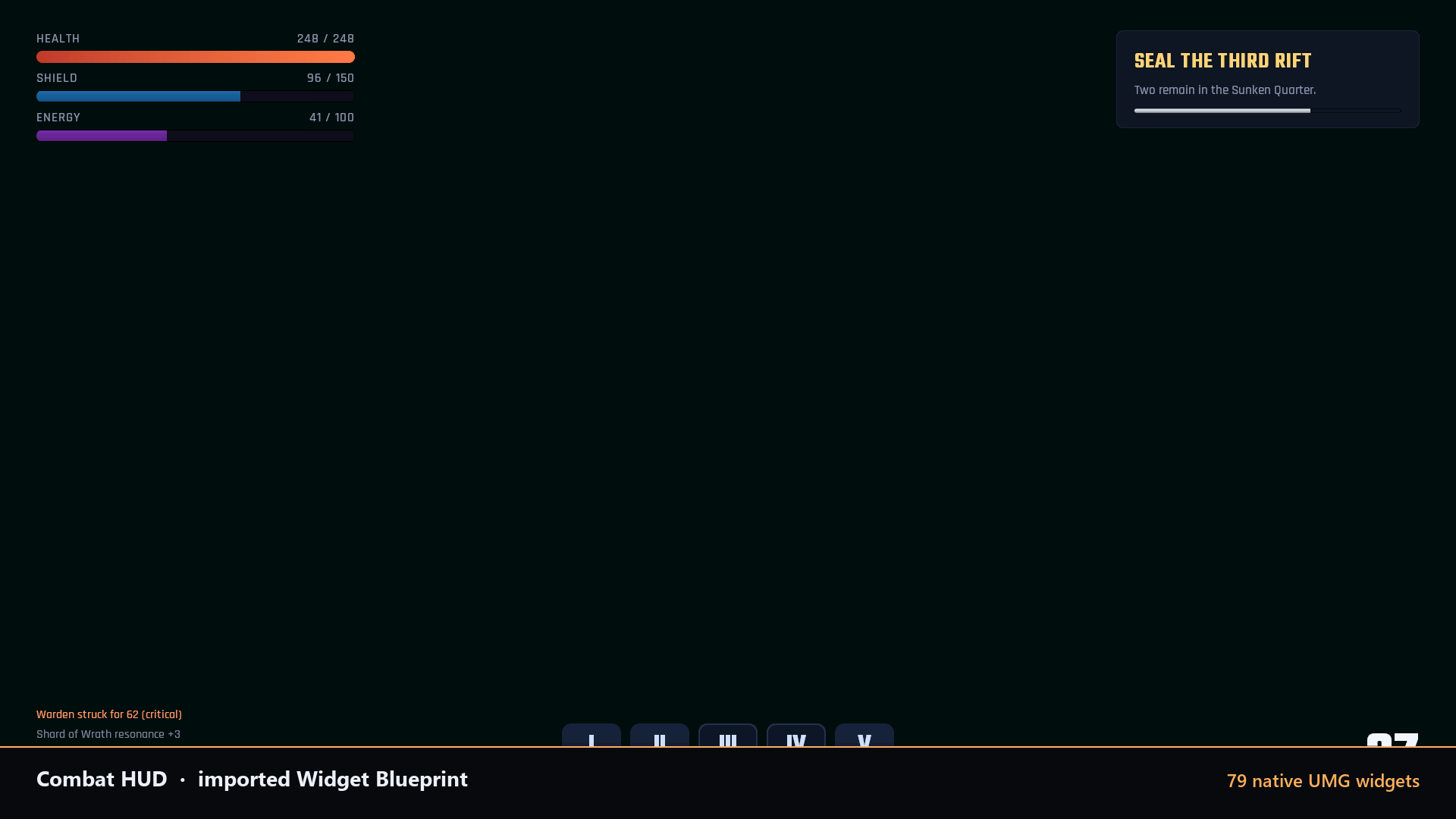
The combat HUD as an imported Widget Blueprint: 79 native UMG widgets, none hand-authored.
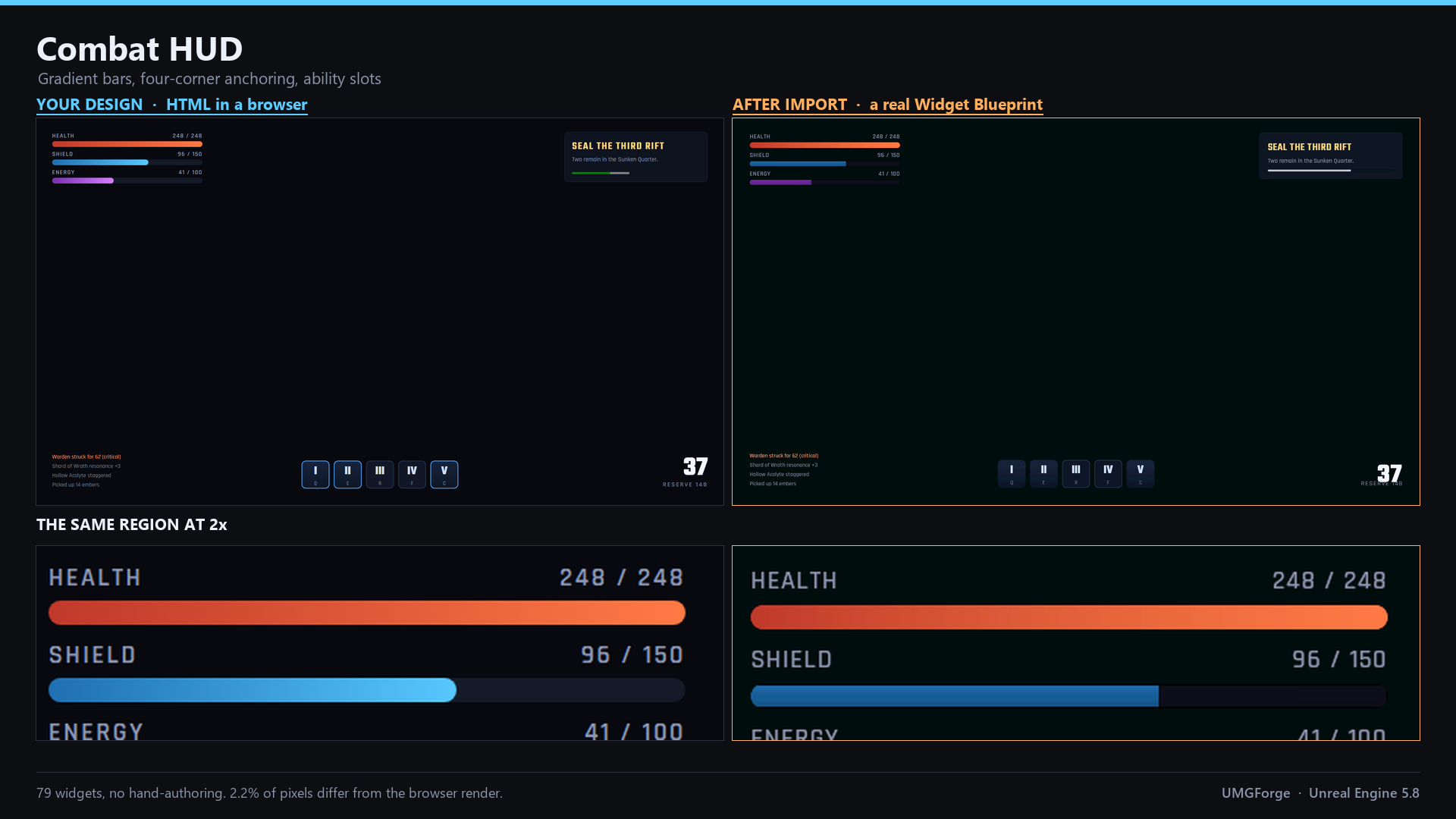
Combat HUD - gradient bars, four-corner anchoring, ability slots. 79 widgets, 2.2% of pixels differ.
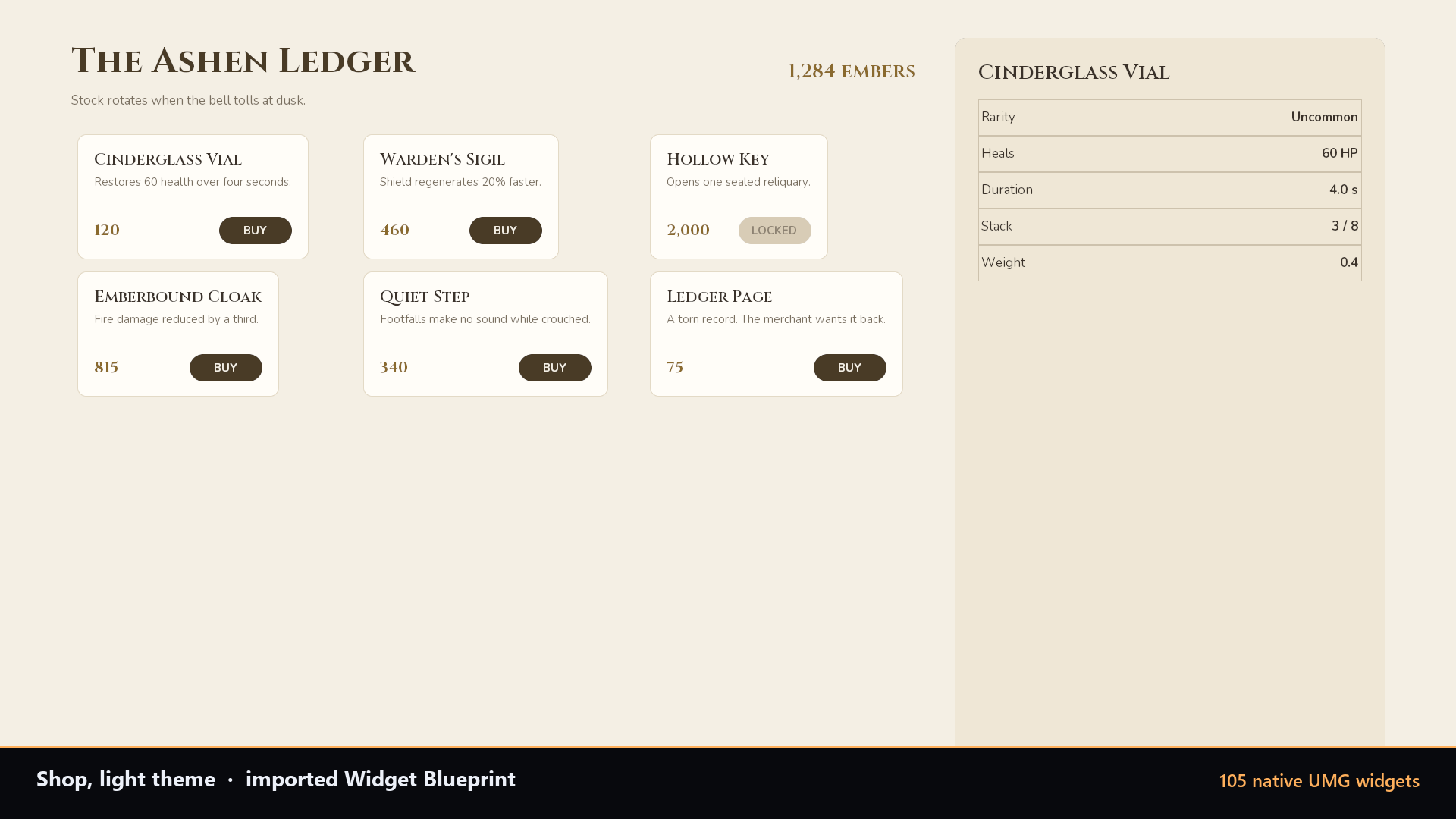
A light theme with a serif face and a card grid, 105 widgets.
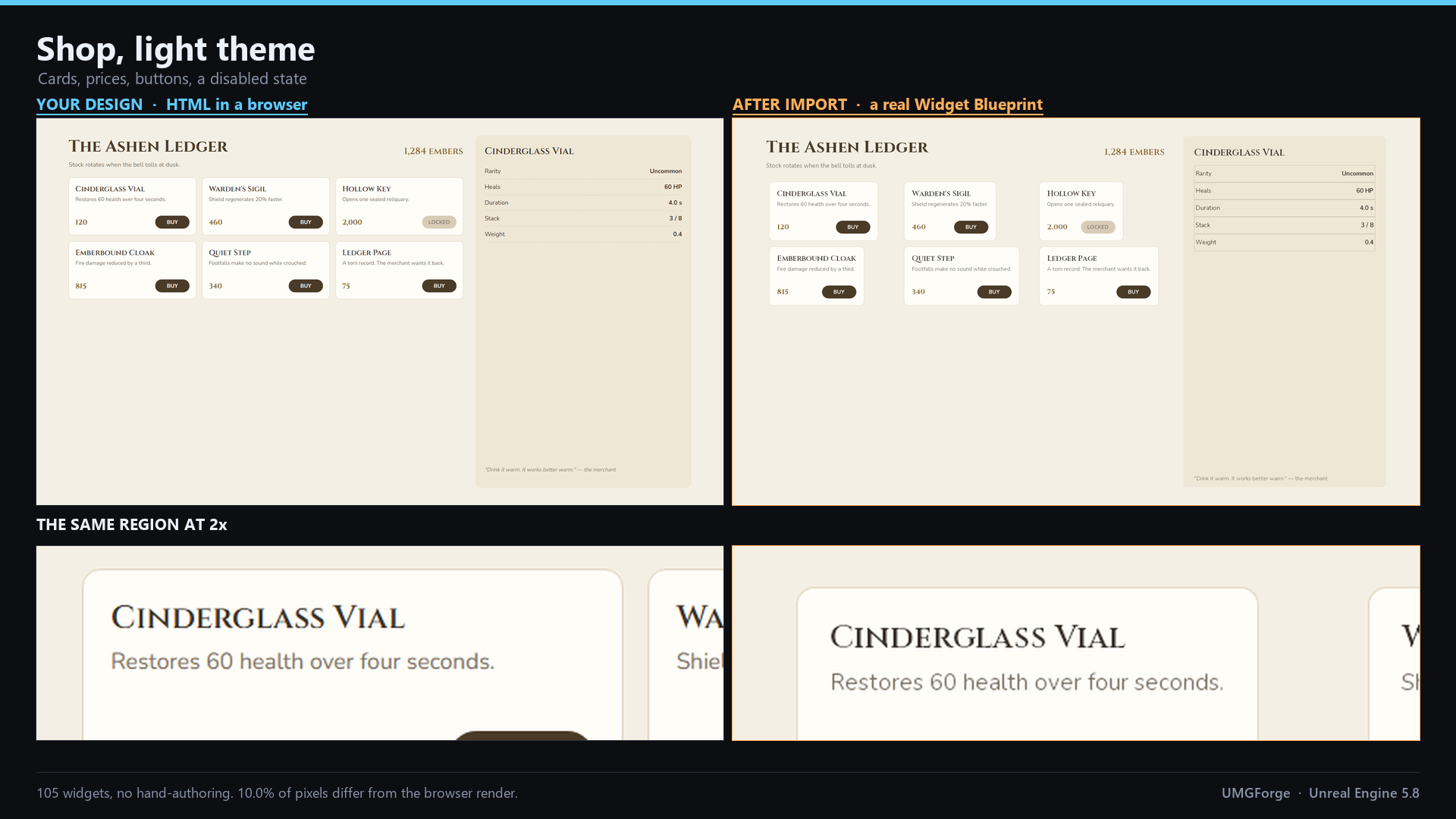
Merchant screen - light mode, serif, a card grid. 105 widgets, 10.0% of pixels differ, most of it the combo box background the importer reports it cannot carry.
The Numbers, and Where They Come From
Every figure below was computed from the same renders shown above, not carried over from notes. A difference percentage is meaningless without the threshold it was taken at, so all of them are published rather than the flattering one.
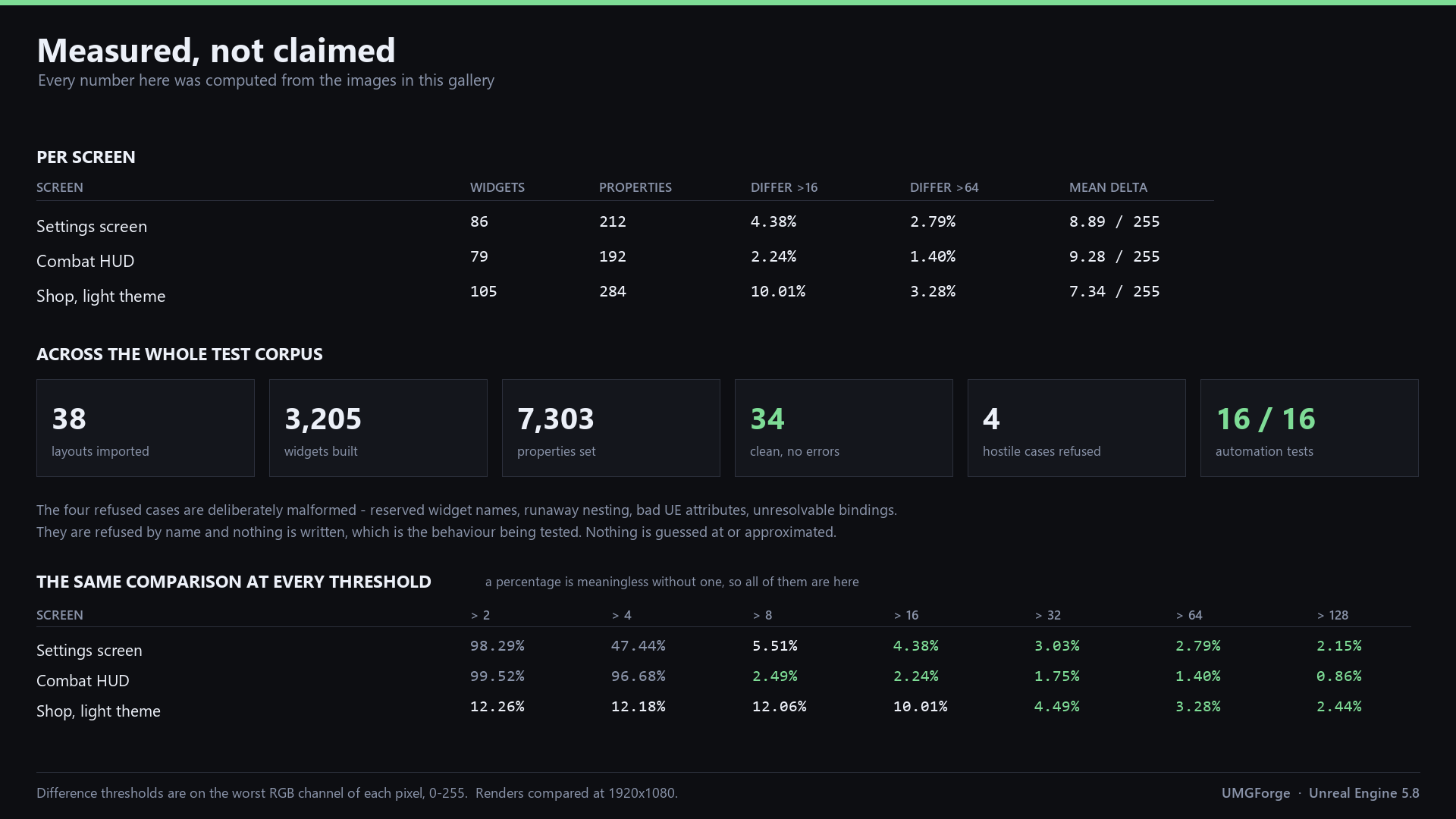
Per screen and across the corpus: 38 layouts, 3,205 widgets, 7,303 properties. The four refusals are deliberately malformed layouts.
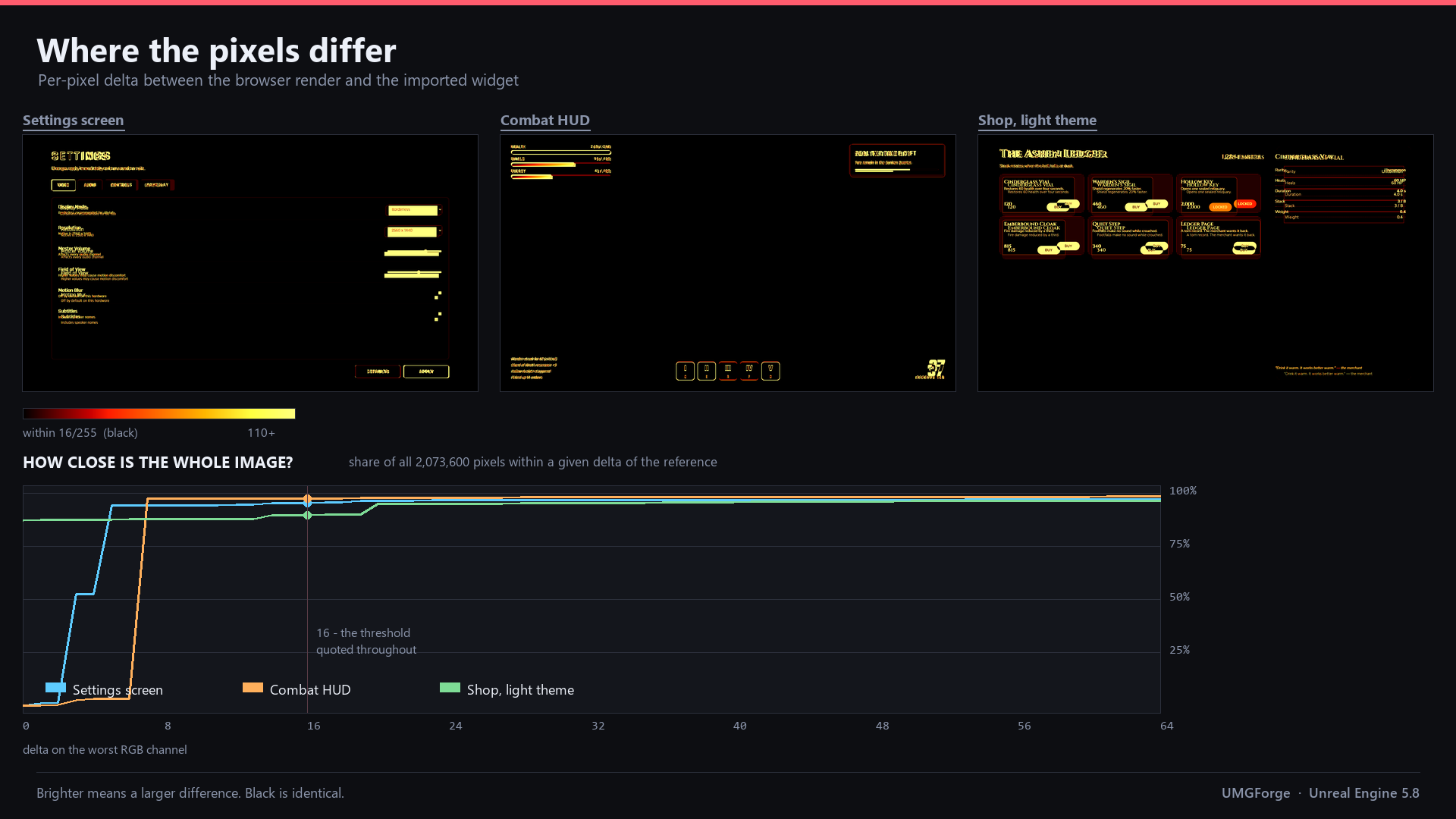
Where the differences actually sit. Black is within 16 of 255; the curve shows what share of all 2,073,600 pixels lands within a given delta.
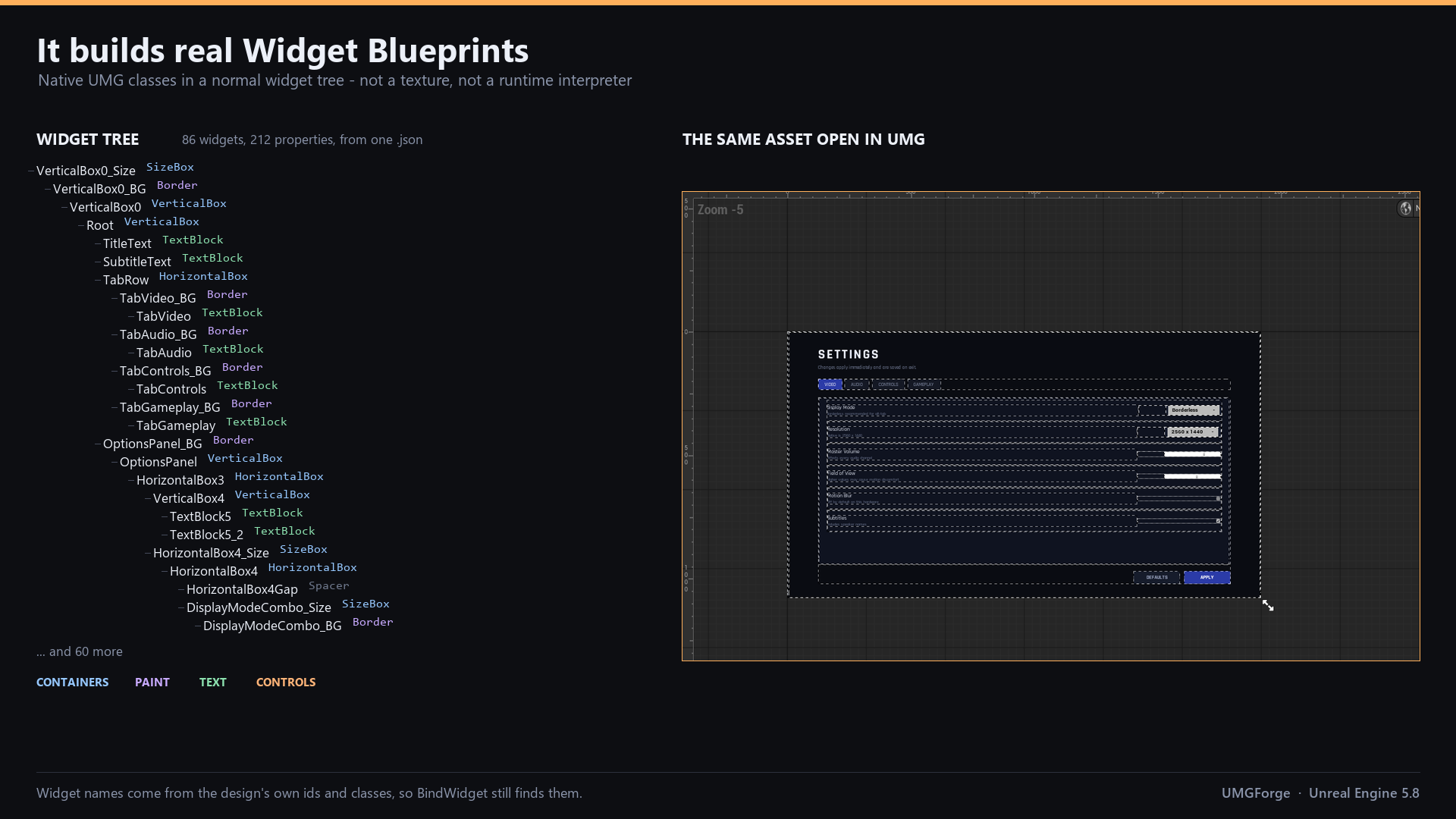
Native UMG classes in an ordinary widget tree. Names come from the design's own ids, so BindWidget still finds them.
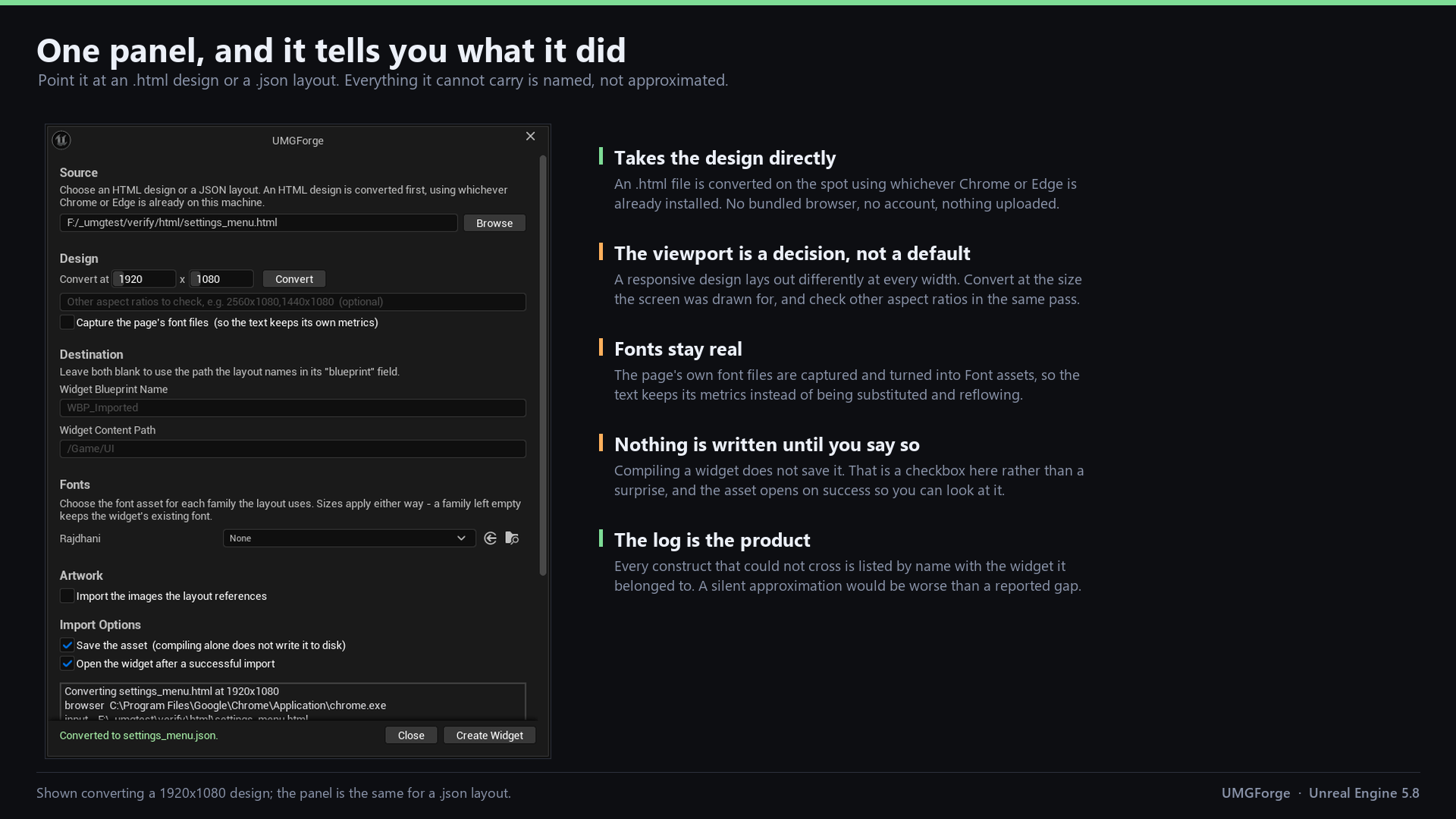
The whole tool. Everything it cannot carry is listed by name with the widget it belonged to.
Technical Details
Plugin Info
| Engine | Unreal Engine 5.8 |
| Editor Platform | Windows |
| Output | Any platform UMG supports |
| Required Plugins | None |
| Category | Editor Tool |
| Developer | SoulPersona |
| Status | Released |
Tech Stack
Not Included
Animations are not converted - hover, pressed and disabled states do come across on buttons as real brush states, but CSS transitions and keyframes do not become Widget Animations. CommonUI components are not generated. See the documentation for the full list of what is and is not carried across.