Canny Image Converter
A free drag-and-drop tool for applying the Canny edge detection algorithm. Drop your images to generate crisp edge maps for art, prototyping, or technical workflows.
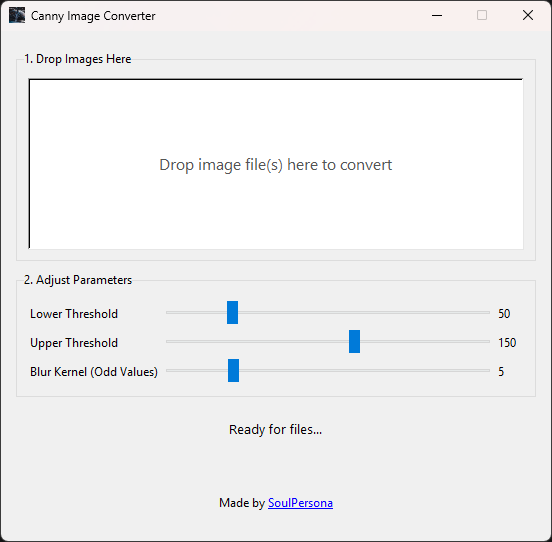
Overview
Using the powerful Canny Edge Detection algorithm, this app lets you instantly process images with a simple drag-and-drop action. Perfect for artists, creative coders, and anyone studying computer vision. No installation needed - standalone and portable as a single .exe.
Drop your images to generate crisp edge maps. Adjust thresholds and blur kernel for precise control. Converted images are automatically saved with a _canny suffix alongside the originals.
Key Features
Instant Drag & Drop
Drag images onto the window and they are converted on the spot.
Parameter Control
Adjustable Canny thresholds and blur kernel via sliders. Lower values find faint edges, higher values pick up strong lines.
Fast & Portable
Single .exe, no installation needed. Run from anywhere.
Automatic Saving
Converted images saved automatically with a _canny suffix in the same folder as the original.
Technical Details
Tool Info
| Platform | Windows |
| Category | Image Processing |
| Developer | SoulPersona |
| Price | Free |
| License | Free |
| Status | Released |